
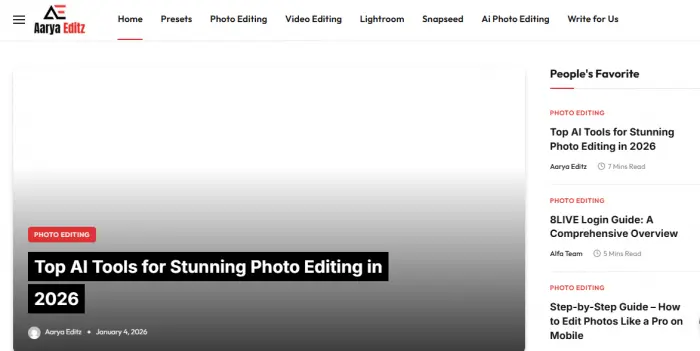
Finding useful photo and video editing resources can be surprisingly difficult. There are thousands of websites offering presets, templates, overlays, tutorials, and editing tricks, but not every resource website provides the same quality, transparency, or user experience.
AaryaEditz is one of the websites that has attracted attention from people searching for free editing resources. The platform is associated with Lightroom presets, DNG files, XMP presets, CapCut templates, PNG assets, mobile editing tutorials, and other creative resources.
At first glance, it can look like a simple editing website where users can discover resources for improving photos and videos. However, there is more to evaluate than the number of downloads available.
If you are considering AaryaEditz.org, you may also want to know whether the resources are actually useful, how the download experience works, whether the files are suitable for commercial projects, and what you should check before downloading anything.
This review looks at AaryaEditz from those different perspectives. Instead of treating the website as either completely good or completely bad, the goal is to understand what it offers, who it is suitable for, and where users should exercise caution.
What Is AaryaEditz.org?
AaryaEditz.org is primarily an editing-resource and content website rather than a standalone photo or video editing application.
The website has been associated with different types of creative resources, including AaryaEditz presets, Lightroom resources, editing tutorials, CapCut-related content, PNG overlays, and mobile editing guides.
This distinction is important.
If you are searching for an application where you can directly edit photographs, AaryaEditz is not the same type of product as Adobe Lightroom, Photoshop, CapCut, or Snapseed.
Instead, it is better understood as a website that can provide resources that are then used with other editing applications.
Is AaryaEditz an editing app or a resource website?
AaryaEditz is primarily a resource website.
For example, if you download an AaryaEditz Lightroom preset, you would normally need compatible Lightroom software to use it. Similarly, a PNG overlay may need an image editor capable of working with transparent image files.
This means AaryaEditz and an editing application serve different purposes.
The website can provide the resource, while another application provides the actual editing environment.
What Does AaryaEditz Actually Offer?
The type of content associated with AaryaEditz includes:
- Lightroom presets
- DNG presets
- XMP presets
- Photo editing tutorials
- Video editing resources
- CapCut templates
- PNG overlays
- Mobile editing guides
- Snapseed-related resources
- PicsArt editing content
- AI photo editing ideas
The selection makes the website more relevant to beginners and social media creators than to users looking for a complete professional editing suite.
Who Is AaryaEditz Made For?
The website can be particularly relevant to:
- Beginner photo editors
- Mobile editors
- Instagram creators
- Reels creators
- Casual photographers
- Students
- Hobbyists
- Social media users
Professional photographers and agencies should take a more careful approach, especially when licensing and commercial usage rights are unclear.
What Can You Find on AaryaEditz?
One of the main reasons people search for AaryaEditz editing resources is the variety of content available.
Rather than focusing on one specific application, the site covers multiple areas of the mobile editing ecosystem.
AaryaEditz Lightroom Presets
AaryaEditz Lightroom presets are among the most relevant resources for people interested in quick photo adjustments.
Presets can change multiple editing settings at once. Depending on the preset, these changes may affect exposure, contrast, colors, highlights, shadows, and other image characteristics.
The benefit is speed.
Instead of manually adjusting every setting, a user can apply a preset and then make additional changes.
AaryaEditz DNG Presets
DNG presets are particularly relevant for mobile Lightroom users.
A DNG file is an image file that can contain editing information. Users can use compatible workflows to transfer settings and create reusable presets.
People searching for AaryaEditz DNG presets are generally looking for ready-made editing styles that can be used with Lightroom Mobile.
AaryaEditz XMP Presets
XMP is another format commonly associated with Adobe Lightroom and Camera Raw workflows.
Users searching for AaryaEditz XMP presets should first make sure they understand which Lightroom version or workflow supports the file.
DNG and XMP are not interchangeable in every situation, so users should check the format before downloading or attempting an installation.
CapCut Templates
AaryaEditz also covers CapCut templates and video editing resources.
These can be useful for creators producing:
- Instagram Reels
- Short videos
- Social media edits
- Trend-based content
- Photo-to-video projects
Templates can save time because the creator does not need to build every transition or effect from scratch.
PNG Overlays and Editing Assets
Another category associated with AaryaEditz is PNG-based editing resources.
These can include visual elements such as:
- Light effects
- Frames
- Bokeh
- Overlays
- Decorative elements
- Background assets
PNG assets are particularly useful when creators want to add visual effects to existing photographs.
Photo Editing Tutorials
The site also focuses on AaryaEditz photo editing tutorials.
Tutorial content can be useful for beginners who want to understand how different editing applications work rather than simply downloading a preset.
This distinction matters because learning the editing process gives users more control than relying entirely on pre-made settings.
AI Photo Editing Content
AI-based photo editing has become a major topic across the creative industry.
AaryaEditz-related content also covers AI photo editing, including ideas and workflows aimed at helping users create or modify images using newer AI-powered tools.
For beginners, this can make the site more interesting because it combines traditional editing resources with newer AI-focused trends.
AaryaEditz Lightroom Presets: What Are They Actually Like?
The biggest attraction for many users is likely to be AaryaEditz Lightroom presets.
Presets are convenient, but they are sometimes misunderstood.
A preset is not a magic button that guarantees the same result on every image.
AaryaEditz DNG Presets
DNG presets can be useful for people editing photographs on mobile devices.
A creator can import a compatible DNG file into Lightroom, copy the relevant settings, and apply those settings to another photograph.
However, the final result depends on the original photograph.
A preset designed for a bright outdoor photograph may not look equally good on a dark indoor image.
AaryaEditz XMP Presets
XMP presets are more closely associated with desktop Lightroom and Adobe Camera Raw workflows.
Users should check the compatibility of their editing software before downloading an XMP file.
This is one reason it is important to understand the file format rather than simply searching for an AaryaEditz presets download and opening whatever file appears first.
Are AaryaEditz Presets One-Click Edits?
They can make editing faster, but calling them complete one-click solutions would be misleading.
A preset provides a starting point.
After applying one, you may still need to adjust:
- Exposure
- White balance
- Contrast
- Saturation
- Skin tones
- Shadows
- Highlights
- Crop
- Sharpness
The more different the original photo is from the photo used to create the preset, the more adjustments may be necessary.
AaryaEditz Presets for Instagram
Instagram creators often prefer consistent colors across their posts.
Using a preset can help establish a recognizable visual style.
For example, a creator might use one style for travel photographs and another for portraits.
But consistency should not come at the expense of image quality. A preset that makes one photograph look attractive may make another look unnatural.
How to Download AaryaEditz Presets
People searching for AaryaEditz download or AaryaEditz presets download should pay attention to the actual file being downloaded.
The safest approach is to understand what type of resource you are expecting before clicking a download button.
Finding the Right Preset
First identify:
- The editing application
- The preset format
- Mobile or desktop compatibility
- The type of visual style
- Whether the resource is intended for personal or commercial use
Downloading the Preset File
Once you find the relevant resource, check that the download matches the advertised format.
For example, if you are looking for an AaryaEditz DNG download, an unexpected executable application should raise a warning.
Likewise, if you are expecting an XMP file, downloading a completely different file type should be investigated before opening it.
Checking the File Format Before Opening It
File extensions matter.
Common creative resource formats can include:
- .dng
- .xmp
- .png
- .jpg
- .zip
Unexpected executable formats deserve additional caution.
Do not assume that every file presented through a download button is automatically safe simply because it appears on an editing website.
How to Use AaryaEditz Presets in Lightroom Mobile
If you have downloaded a compatible AaryaEditz Lightroom preset, the basic workflow is straightforward.
Importing a DNG Preset
Import the DNG image into Lightroom Mobile like you would import another photograph.
Open the file and access its editing settings.
Copying the Editing Settings
Once the DNG contains the desired look, copy the available editing settings.
The exact interface can change between Lightroom versions, so users should follow the current controls available in their application.
Creating a Custom Preset
After copying or recreating the settings, users can save them as a reusable preset.
This means the original DNG does not necessarily have to be used every time.
Applying the Preset to Another Photo
Open another photograph and apply the saved preset.
Then check the result carefully.
If the image looks too dark, too bright or overly saturated, adjust the settings manually.
Why the Preset May Look Different on Your Photo
This is one of the most common misunderstandings around presets.
A preset does not know what your camera captured.
Lighting, exposure, skin tone, camera profile, and environmental conditions can all change the final result.
Therefore, AaryaEditz presets should generally be treated as editing starting points rather than guaranteed final edits.
AaryaEditz CapCut Templates and Video Editing Resources
Photo editing is only part of the broader creator ecosystem.
Short-form video has become equally important, which explains the popularity of CapCut templates.
What Type of CapCut Templates Are Available?
Templates can be useful for:
- Reels
- Short videos
- Photo montages
- Transitions
- Trending formats
- Beat-synced edits
For beginners, templates can reduce the time required to learn complicated editing techniques.
Are AaryaEditz Templates Original?
This is an area where users should avoid assumptions.
A website offering a template does not automatically prove that the website created the original template.
When an asset is going to be used commercially, users should look for clear information about its source and licensing.
Using Templates for Reels and Short Videos
Templates can help creators produce content quickly.
However, blindly copying trending formats can make content feel repetitive.
The strongest approach is to use a template as a framework and add original footage, captions, branding and creative elements.
What to Check Before Publishing Template-Based Content
Before publishing commercial content, check:
- Music rights
- Image rights
- Video rights
- Template licensing
- Third-party assets
- Commercial-use restrictions
This becomes especially important for businesses and agencies.
AaryaEditz Photo Editing Tutorials
The tutorial side of AaryaEditz can be useful for people who want to learn rather than simply download.
Lightroom Tutorials
Lightroom tutorials can help beginners understand:
- Exposure
- Contrast
- Color grading
- Presets
- Masking
- Basic adjustments
Snapseed Editing Resources
Snapseed is widely used for mobile photo editing.
AaryaEditz-related Snapseed content can be useful for users who prefer a mobile-first workflow.
PicsArt Editing Resources
PicsArt focuses on a different type of editing experience, including creative compositions and visual effects.
Tutorials around PicsArt can therefore appeal to users who want more than basic color correction.
Mobile Photo Editing Guides
Mobile editing is one of the strongest practical use cases for websites like AaryaEditz.
A beginner can learn an editing workflow without needing a powerful desktop computer.
Trending Instagram Editing Styles
Social media editing trends change quickly.
A tutorial or preset based on a current visual style may be useful today but less relevant later.
That means users should focus on learning the underlying editing technique rather than depending entirely on trends.
AaryaEditz Video Editing Content
Video creators have different requirements from photographers.
They need to think about timing, transitions, sound, movement and platform formats.
CapCut Tutorials
CapCut is popular among creators because it makes short-form editing accessible.
AaryaEditz CapCut-related content can therefore be relevant to beginners looking for quick editing workflows.
Reels Editing Ideas
Reels creators can use editing resources to experiment with:
- Transitions
- Text effects
- Speed changes
- Beat synchronization
- Photo animations
Trending Video Effects
Trending effects can attract attention, but they should be used with context.
A professional brand may not want the same editing style as a casual creator.
Beginner-Friendly Editing Workflows
The strongest tutorial content should explain not only what button to press but why the technique works.
That allows users to recreate the effect independently.
Is AaryaEditz Safe?
The question “Is AaryaEditz safe?” deserves a more careful answer than a simple yes or no.
Website safety and content quality are separate questions.
A website can provide useful editing resources while still requiring users to be careful with downloads, redirects or third-party assets.
Is AaryaEditz.org Legit?
The term “legit” can mean several things.
It may refer to whether the website exists, whether it provides the resources it advertises or whether the assets are properly licensed.
These are different questions.
Therefore, users should not interpret the availability of free downloads as proof that every resource is officially licensed or commercially usable.
Is AaryaEditz a Scam?
There is not enough justification to label the entire website a scam simply because some users may encounter advertising, redirects or unclear download paths.
A better approach is to evaluate each interaction individually.
If a download page requests unexpected information, redirects repeatedly, or attempts to install unrelated software, stop the process and investigate further.
Download Safety
Users should be particularly careful with:
- Unexpected redirects
- Fake download buttons
- Suspicious pop-ups
- Browser notification requests
- APK files
- EXE files
- Unknown ZIP archives
A preset should normally have a recognizable creative file format.
If the download does not match what you expected, do not open it automatically.
What Should You Avoid Downloading?
If you are searching for a Lightroom preset, you should be suspicious of unexpected files that claim to be required for the preset to work.
Be particularly careful with unknown executable files.
Creative resources usually have recognizable formats, so an unexpected application installer should not be treated as a normal preset.
Should You Give AaryaEditz Personal Information?
Users should avoid providing unnecessary sensitive information to download a simple editing resource.
If a free preset suddenly requires extensive personal information, payment details or unrelated account credentials, reconsider whether the download is worth the risk.
AaryaEditz Copyright and Licensing Concerns
Safety is only one side of the trust question.
Copyright and licensing are equally important for creators.
Are AaryaEditz Presets Original?
It is difficult for a user to independently verify the ownership history of every preset or editing resource available on a third-party website.
Therefore, it is safer not to assume that every resource is original simply because it appears on AaryaEditz.
Can You Use AaryaEditz Presets Commercially?
This depends on the licensing terms attached to the particular resource.
A free download does not automatically mean unrestricted commercial rights.
Before using an asset for a paid project, check whether the resource permits:
- Client work
- Commercial photography
- Advertising
- Brand campaigns
- Monetized social media
- Resale or redistribution
If licensing information is unavailable, professional users should consider using a resource from a source with clearly documented rights.
Personal Use vs Commercial Use
For personal experimentation, the risk associated with unclear licensing may be lower.
Commercial projects are different.
If a brand pays you to create content, you are responsible for making sure the assets you use can legally be used for that purpose.
Why Licensing Matters for Creators
Imagine downloading an attractive overlay and using it in a client’s advertising campaign.
If the overlay belongs to another creator and commercial use was not permitted, the problem can emerge after publication.
For professional work, licensing should therefore be treated as part of the editing workflow.
AaryaEditz and the Problem of Trust Signals
A website can have useful content and still have areas where trust could be stronger.
This is where a proper AaryaEditz review should go beyond counting presets and downloads.
Does the Site Clearly Identify Its Team?
Strong editorial websites generally make it easy to understand who creates and maintains the content.
Clear author information can help readers evaluate expertise and accountability.
Are Authors Clearly Identified?
For tutorials involving technical or creative advice, author transparency can improve trust.
If readers cannot determine who produced the material, it becomes harder to evaluate the authority behind the advice.
Is There Enough Information About the Brand?
A professional resource platform benefits from clear information about:
- Who operates it
- What it provides
- How resources are sourced
- How users can contact the team
- What terms apply to downloads
Are Content Sources and Asset Origins Clear?
This is particularly important for downloadable assets.
Users should ideally be able to understand whether an asset is:
- Original
- Licensed
- User-submitted
- Public domain
- Third-party content
Does the Site Look More Like a Blog or a Creative Platform?
AaryaEditz has characteristics of an editing-resource blog as well as a downloadable asset website.
That distinction matters because users may arrive expecting a polished professional asset marketplace while finding a more content-driven experience.
AaryaEditz Footer Links and Outbound Link Concerns
Another aspect worth considering is the quality and relevance of outbound links.
Why Unrelated Links Matter
A website’s external links can influence how professional and trustworthy it feels.
If a creative resource page contains unrelated promotional links, users may question whether the page was created primarily to help them or primarily to generate traffic and advertising revenue.
This does not automatically make the editing resource itself unsafe.
It is simply a trust signal worth considering.
Does It Affect the Editing Resources?
Not necessarily.
A questionable-looking external link does not prove that every preset or tutorial on the website is problematic.
The important thing is to separate the quality of the site’s overall experience from the safety and licensing of an individual resource.
What Should Users Do With Suspicious External Links?
Do not click links simply because they appear next to a download button.
If the destination looks unrelated to the editing resource you wanted, close it and return to the original page.
AaryaEditz User Experience: What Is It Actually Like?
The actual user experience matters almost as much as the resources themselves.
Finding Editing Resources
A good resource website should make it easy to identify what you are downloading.
Users should be able to understand:
- What the resource is
- Which app it works with
- What file format it uses
- Whether it is free
- What licensing applies
Navigating Between Tutorials and Downloads
Beginners may appreciate having tutorials and downloads in one place.
However, the distinction between informational content and actual downloads should remain clear.
Advertising and Download Friction
Free-resource websites commonly rely on advertising.
Advertising can support free content, but excessive pop-ups, redirects or confusing download buttons can make the experience frustrating.
This is one area where users should remain attentive.
Beginner Experience
A beginner may find AaryaEditz useful because the site focuses on familiar applications and popular editing trends.
Presets and templates can provide a quick starting point.
Experience for Professional Editors
Professional editors have higher expectations.
They generally need:
- Reliable asset sources
- Clear licensing
- Consistent quality
- Accurate documentation
- Stable downloads
- Professional support
This means a free editing-resource website may not meet every requirement of a professional workflow.
Who Should Use AaryaEditz?
AaryaEditz can be useful for several types of users.
Instagram Beginners
New creators can experiment with presets and visual styles without spending significant time creating every adjustment manually.
Mobile Editors
People who primarily edit on smartphones can find mobile-focused resources more relevant than desktop-only tutorials.
Students and Hobbyists
For experimentation and learning, free resources can be useful.
Reels Creators
Creators producing short-form content can benefit from templates, effects and editing ideas.
Who Should Be More Careful With AaryaEditz?
Some users should take additional precautions.
Professional Photographers
Professional photographers should verify asset licensing before incorporating third-party resources into paid work.
Freelance Editors
Freelancers need to know whether the resources they use can be delivered to clients.
Agencies
Agencies working for brands should be particularly strict about asset ownership and commercial rights.
Brands
Brands should avoid using an asset commercially unless its licensing terms are clear.
Commercial Content Creators
Monetized creators should verify whether downloaded resources permit commercial use.
AaryaEditz vs Popular Editing Platforms
One common mistake is comparing AaryaEditz directly with editing applications.
They do not serve exactly the same purpose.
AaryaEditz vs Lightroom
| Feature | AaryaEditz | Lightroom |
| Main purpose | Editing resources | Photo editing software |
| Presets | Downloadable resources | Built-in/importable |
| Photo editing | Requires another app | Yes |
| Professional workflow | Limited as a resource site | Strong |
| Asset source clarity | Needs checking | Established software ecosystem |
AaryaEditz can provide resources that work with Lightroom, but it is not a replacement for Lightroom.
AaryaEditz vs CapCut
CapCut is a video editing application.
AaryaEditz may provide CapCut-related templates or tutorials, but it does not replace the editing application itself.
AaryaEditz vs Snapseed
Snapseed is a mobile photo editing application.
AaryaEditz can provide tutorials or resources related to Snapseed, but the actual editing takes place inside Snapseed.
AaryaEditz vs Canva
Canva is a design platform with its own templates, graphics, and editing tools.
AaryaEditz is more focused on providing editing resources and tutorial content.
AaryaEditz Pros and Cons
A balanced review should include both sides.
What Works
- Free editing resources
- Lightroom preset content
- DNG and XMP-related resources
- Mobile editing focus
- CapCut templates
- Photo editing tutorials
- Trending social media ideas
- Resources for beginners
- AI photo editing content
What Doesn’t Work
- Licensing may not always be clear
- Asset ownership can require verification
- Download pages may create friction
- Advertising can affect usability
- Professional users may need deeper documentation
- Not every resource should automatically be treated as commercially licensed
How to Use AaryaEditz More Safely
If you decide to use AaryaEditz, a few simple habits can reduce unnecessary risk.
Verify the File Format
Know what you are expecting before downloading.
A Lightroom preset and an application installer are not the same thing.
Scan Downloads
Use your device’s security tools to check unfamiliar downloads, especially compressed archives or files from unfamiliar sources.
Avoid Suspicious Redirects
If a download button sends you somewhere completely unrelated, close the page.
Don’t Install Unexpected Apps
You should not need to install an unknown application simply to use a normal editing preset.
Check Licensing Before Commercial Use
Personal experimentation and commercial work should be treated differently.
Always verify the usage rights before incorporating third-party assets into paid projects.
Keep Your Editing Software Updated
Whether you use Lightroom, CapCut, Snapseed, PicsArt, or another application, keeping the software updated is a basic security and compatibility practice.
Prefer Official Sources for Apps
If a resource tells you that you need a new editing application, obtain the application from its official store or official website rather than an unfamiliar download page.
Is AaryaEditz Worth Using in 2026?
Whether AaryaEditz is worth using depends heavily on what you expect from it.
For Beginners
For beginners, the website can be useful.
Presets, tutorials and templates can help new editors experiment without starting every project from zero.
For Social Media Creators
Social media creators may find the combination of presets, editing ideas, and templates useful for producing content quickly.
For Professional Editors
Professional editors should be more selective.
A professional workflow requires reliable asset sources, consistent quality, and clear licensing.
If those details are not available, professional users may prefer dedicated asset marketplaces or official creative resources.
For Commercial Projects
Commercial users should not treat “free” as equivalent to “commercially licensed.”
Always verify the terms before using an AaryaEditz resource for a client, advertisement, or paid campaign.
For Free Preset Hunters
If your primary objective is experimenting with different editing styles without paying for every preset, AaryaEditz may be worth exploring.
Just remember to verify the file, source, and licensing before using anything beyond personal experimentation.
Frequently Asked Questions About AaryaEditz
What is AaryaEditz.org?
AaryaEditz.org is an editing-resource and content website associated with Lightroom presets, photo editing tutorials, CapCut resources, PNG assets, mobile editing, and other creative content.
Is AaryaEditz safe?
Users should exercise normal download precautions. Check file types, avoid suspicious redirects, and scan unfamiliar downloads instead of assuming every download is automatically safe.
Is AaryaEditz legit?
AaryaEditz can be considered an editing-resource website, but legitimacy, asset ownership, and commercial licensing are separate questions. Users should verify the specific resource they intend to use.
Is AaryaEditz a photo editing app?
No. AaryaEditz is primarily a resource website. Editing applications such as Lightroom, Photoshop, Snapseed and CapCut perform the actual editing.
What are AaryaEditz Lightroom presets?
They are ready-made editing settings or preset resources intended to help users apply a particular visual style to photographs.
Can I download AaryaEditz DNG presets?
AaryaEditz has been associated with DNG-based preset resources. Users should verify the file format and compatibility before downloading and importing a resource.
Can I use AaryaEditz presets in Lightroom Mobile?
Compatible DNG-based resources can be used in Lightroom Mobile through the appropriate import and preset workflow.
Does AaryaEditz provide CapCut templates?
AaryaEditz-related content includes CapCut templates and video editing resources aimed at short-form content creators.
Can AaryaEditz presets be used commercially?
Do not assume that every free preset has commercial rights. Check the licensing information for the specific resource before using it in paid work.
Is AaryaEditz free?
AaryaEditz is known primarily for offering free editing resources and content, although users should check the individual page for the exact terms of a resource.
Does AaryaEditz provide Snapseed editing resources?
Yes, AaryaEditz-related content includes mobile editing resources and tutorials associated with applications such as Snapseed.
Are AaryaEditz presets original?
Users should not automatically assume that every preset is original or exclusively owned by AaryaEditz. Verify the source and licensing information where possible.
Is AaryaEditz suitable for professional editors?
It can be useful for inspiration and experimentation, but professional editors should verify licensing, asset ownership, compatibility, and quality before incorporating resources into commercial workflows.
Final Verdict: What Is AaryaEditz Really?
AaryaEditz is best understood as an editing-resource website rather than a complete editing platform.
Its strongest appeal is the variety of resources available to people who want quick ways to experiment with photo and video editing. Lightroom presets, DNG resources, XMP files, CapCut templates, PNG assets, mobile editing tutorials, and AI photo editing ideas can all be useful for beginners and social media creators.
The main limitation is that users should not assume that every resource is automatically suitable for professional or commercial use.
There are three separate questions worth asking whenever you use a third-party editing resource:
Does it work?
Is the download safe?
Do I have the right to use it?
Those questions are more useful than simply asking whether AaryaEditz is “good” or “bad.”
For personal editing and experimentation, AaryaEditz can be an interesting resource to explore.
For professional photography, agency work, and commercial campaigns, the standard should be higher. Verify licensing, confirm the source of assets, scan unfamiliar downloads, and avoid installing unexpected software.
The biggest lesson is simple: a free preset can save editing time, but it should not remove your responsibility to check the file, source, and usage rights.
That approach allows users to benefit from AaryaEditz while making more informed decisions about what they download and how they use it.